Design Foundations I

MTEC 1101 · Emerging Media Technology · New York City College of Technology, CUNY · Spring 2022 to present (earlier as Introduction to Emerging Media Practice, then Emerging Media Foundation)

The first course in a two-part series for the Emerging Media Technology program, and one of the major’s core requirements. I taught the previous iteration of it, which was more focused on the major itself; this version is focused on design thinking and the necessary workflows and tools to succeed in the program.

Over fifteen weeks, students move from low-fi paper and scissors prototyping to working as a design team to develop content for a shared, experimental vanishing technology platform.

Working with full-time instructors and in consultation with the Design Foundations II instructor, I helped develop the course framework, aimed at first-semester retention and at the tools, capacities, and workflows students need at City Tech.

The course

Catalog Description: This course is the first in a two-part series for Emerging Media Technology majors, aimed at equipping students with the fundamental concepts, skills, and processes of design. Through project-based learning, students will explore how design integrates creativity, critical thinking, and technical skills to address real-world challenges. The mission is to foster versatile thinkers-and-makers who can adapt to a rapidly changing technological landscape.

Design is more than aesthetics – it is an embodied and situated practice of problem-solving, communication, and innovation. At its core, design involves identifying needs, generating creative solutions, and crafting meaningful experiences.

Design Foundations I introduces students to these principles, laying the groundwork for success in the Emerging Media Technology program, and their future careers in digital and interactive media.

Project 1

Collaborative prototyping

An everyday object researched, redesigned and prototyped in non-digital materials, under design constraints; critique, revision, presentation.

Student work ↓

Project 2

Visual and sound composition

Composition, color, visual hierarchy and typography; image and sound; Photoshop, Illustrator, Audition.

Student work ↓

Project 3

From analog to digital

One small interaction, three screens in Figma: behavior first, then looks.

Student work ↓

Project 4

Designing for the machine

A class-wide tube-television installation navigated by joystick and two buttons: menus, states, feedback, diegetic interfaces.

Student work ↓

In this course, design projects involve human-centered and value-first design thinking.

Students test each other’s prototypes and provide feedback that their peers use to revise and iterate.

As an example of how this process works, the third project starts from another person: students interview a partner about a digital task they do every week.

The interview

  • What is the first thing you do when you start this task?
  • What happens next? Walk me through each step.
  • What do you expect to happen at each step?
  • What parts of the process cause problems, or could work better, feel annoying, confusing, or broken?
  • What do you wish it did differently?

The interview concluded, each student reviews their notes, circles one pain point, and turns it into a brief:

“A ___ that lets my partner ___ without ___.”
↑ Back to top

Student work

Student names are withheld.

An Object That Prints and Embosses: The Braille Printer Pen

Design Foundations I, Project 1 · New York City College of Technology, CUNY · Fall 2025 · group presentation

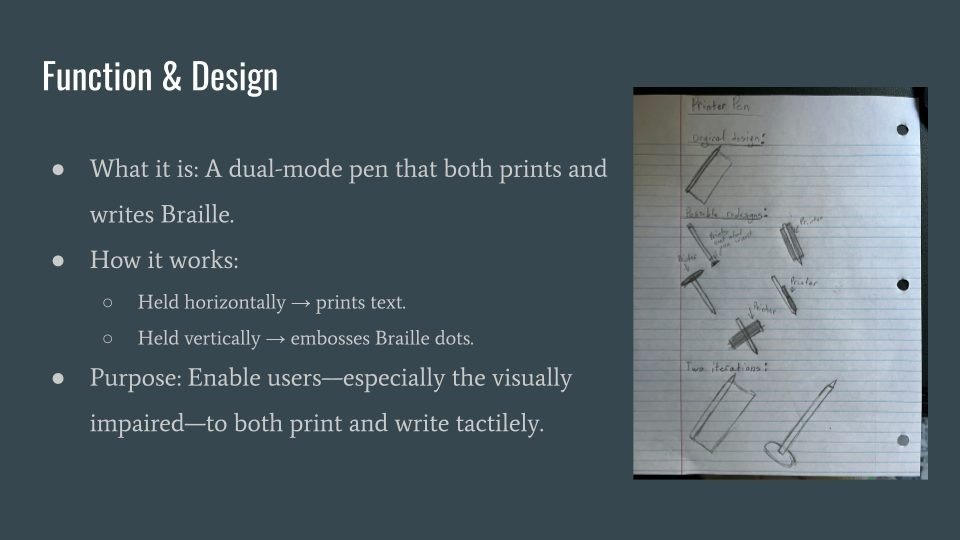
Project 1 starts from an everyday object. Groups research where it came from and whom it serves, then redesign it and prototype the redesign in paper, cardboard, foil and tape before touching software. In the first weeks of the semester, one group answered a prompt about inclusive literacy with a pen that works for readers who cannot see what it writes.

Student slide: Function and Design, with sketches of a pen that prints when held horizontally and embosses Braille when held vertically
The idea, and the group’s own sketches. “Held horizontally → prints text. Held vertically → embosses Braille dots.” The lo-fi prototype is foil, tape and a pen body.
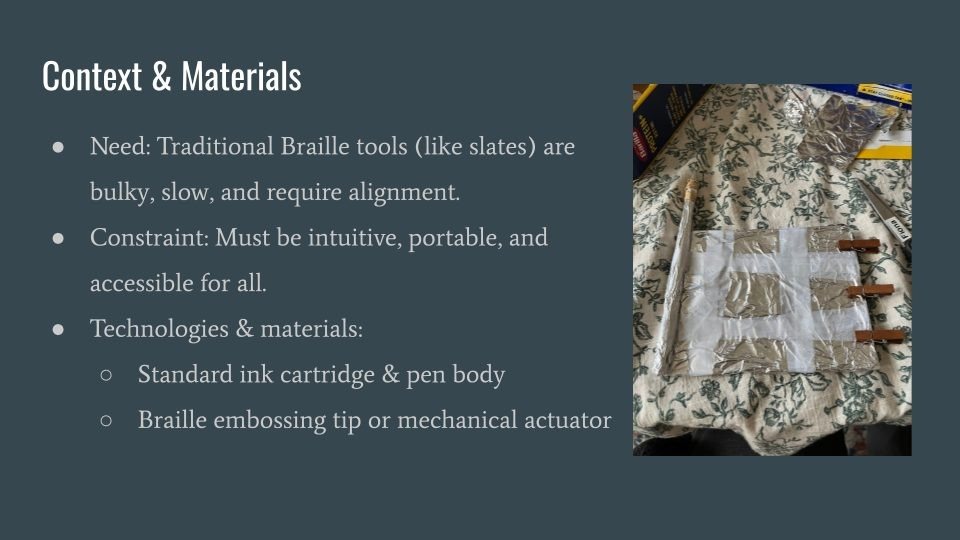
Student slide: Context and Materials, describing the need and the constraint
The need and the constraint. Traditional Braille tools “are bulky, slow, and require alignment”; the pen “must be intuitive, portable, and accessible for all.”
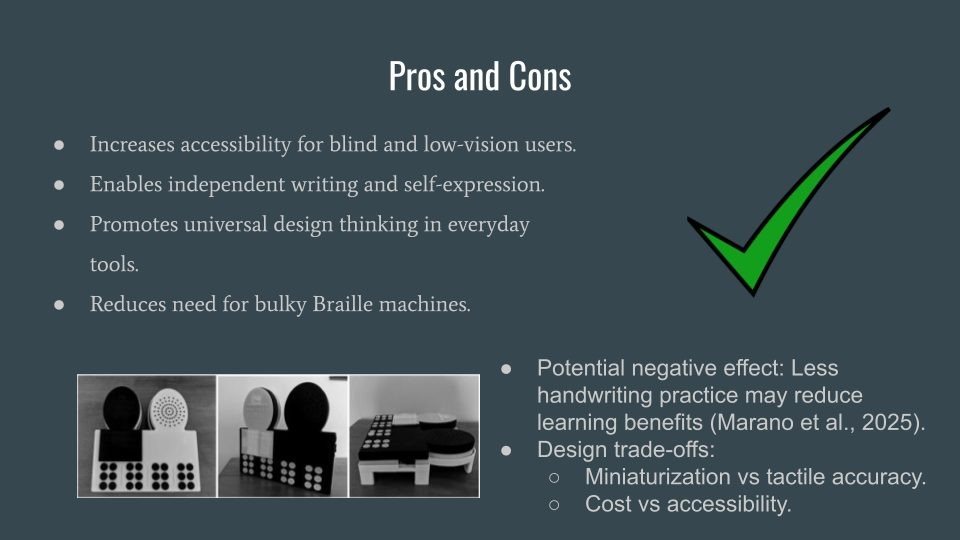
Student slide: Pros and Cons, with the design trade-offs
Pros, cons and trade-offs: miniaturization against tactile accuracy, and cost against accessibility.

The brief was inclusive from the first week, so access was the design problem and not a feature added late. The group researched before it made, built a physical prototype before it drew a screen, and argued against its own idea in public, weighing it against a 2025 study suggesting that less handwriting practice may reduce learning benefits. Five annotated sources stand behind the slides, one from Disability and Rehabilitation: Assistive Technology.

Three Rounds in Cardboard: Redesigning the Monobloc Chair

Design Foundations I, Project 1 · New York City College of Technology, CUNY · Fall 2025 · group project

Another group researched the Monobloc, the one-piece plastic chair, from its 1946 origins through its global spread and its environmental life cycle. Its redesign adds a hook for a leash and a built-in bowl; the group sketched each feature and built the chair in cardboard and tape. The photographs are the group’s own process documentation, in the order it happened.

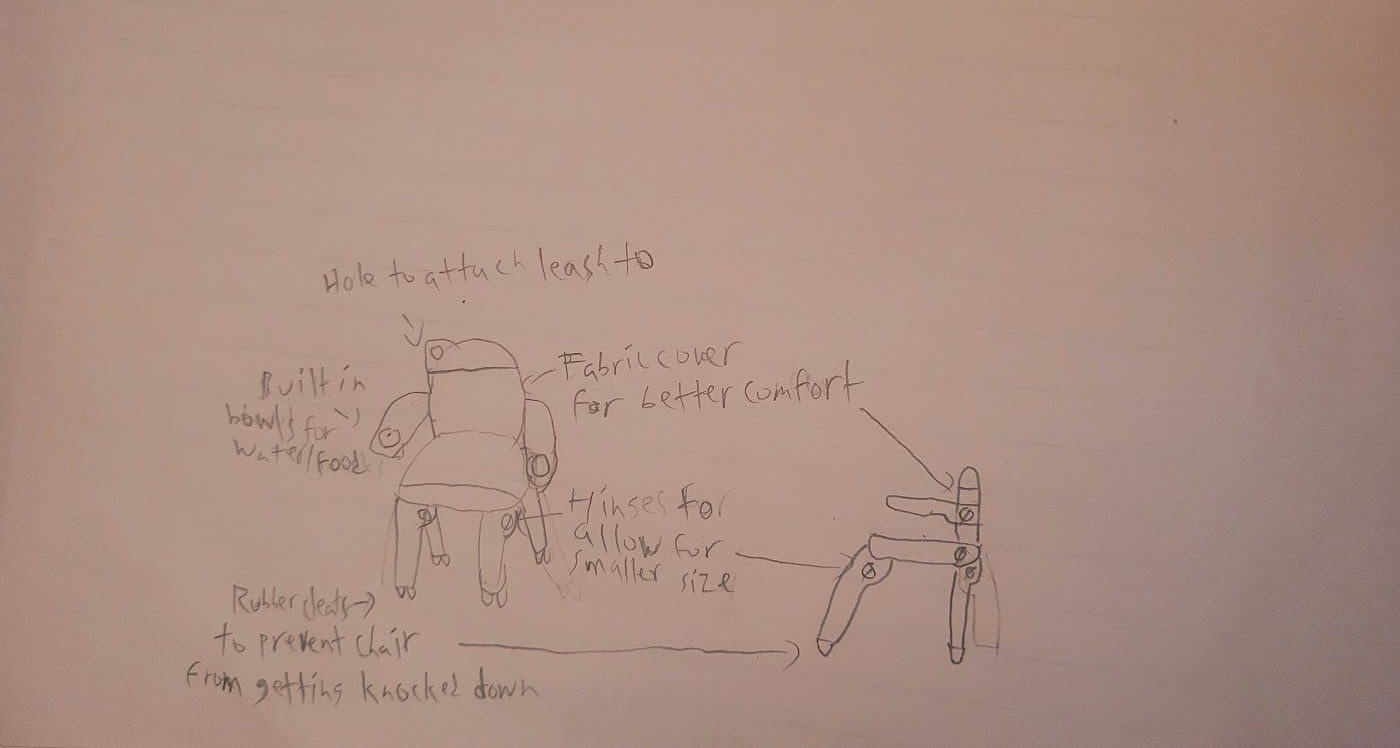
Pencil sketch of the redesigned chair with annotated features
1. Sketch. Each feature annotated: a hole to attach a leash to, built-in bowls for water and food, a fabric cover “for better comfort,” hinges “to allow for smaller size,” rubber feet “to prevent chair from getting knocked down.”
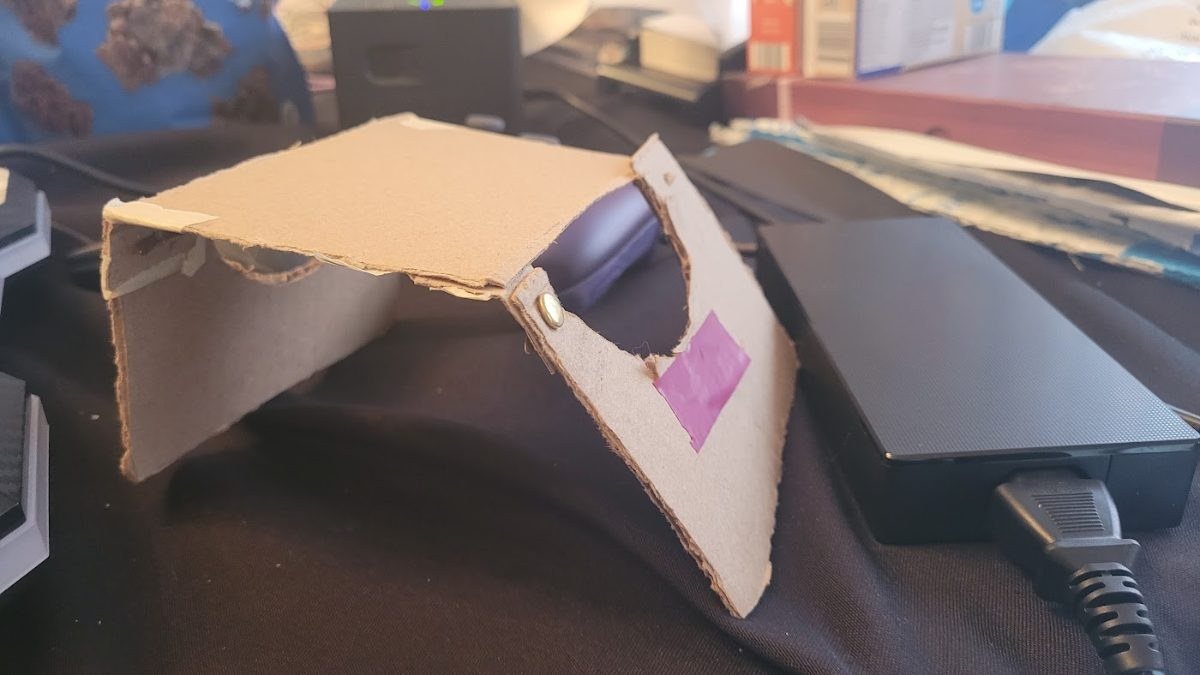
A first folded-cardboard prototype of the chair
2. First prototype. Folded cardboard, to test the form and how it stands.
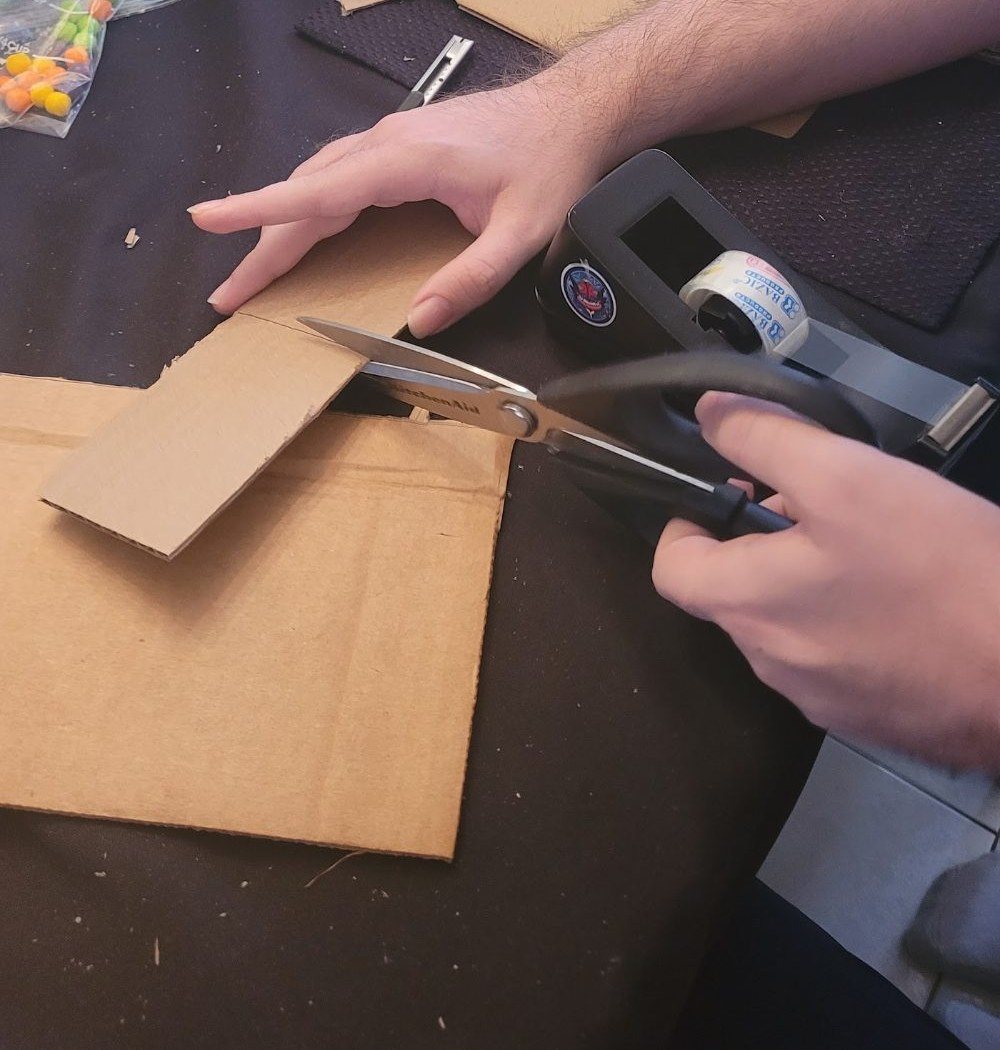
Hands cutting cardboard for the second prototype
3. Second round, cut by hand.
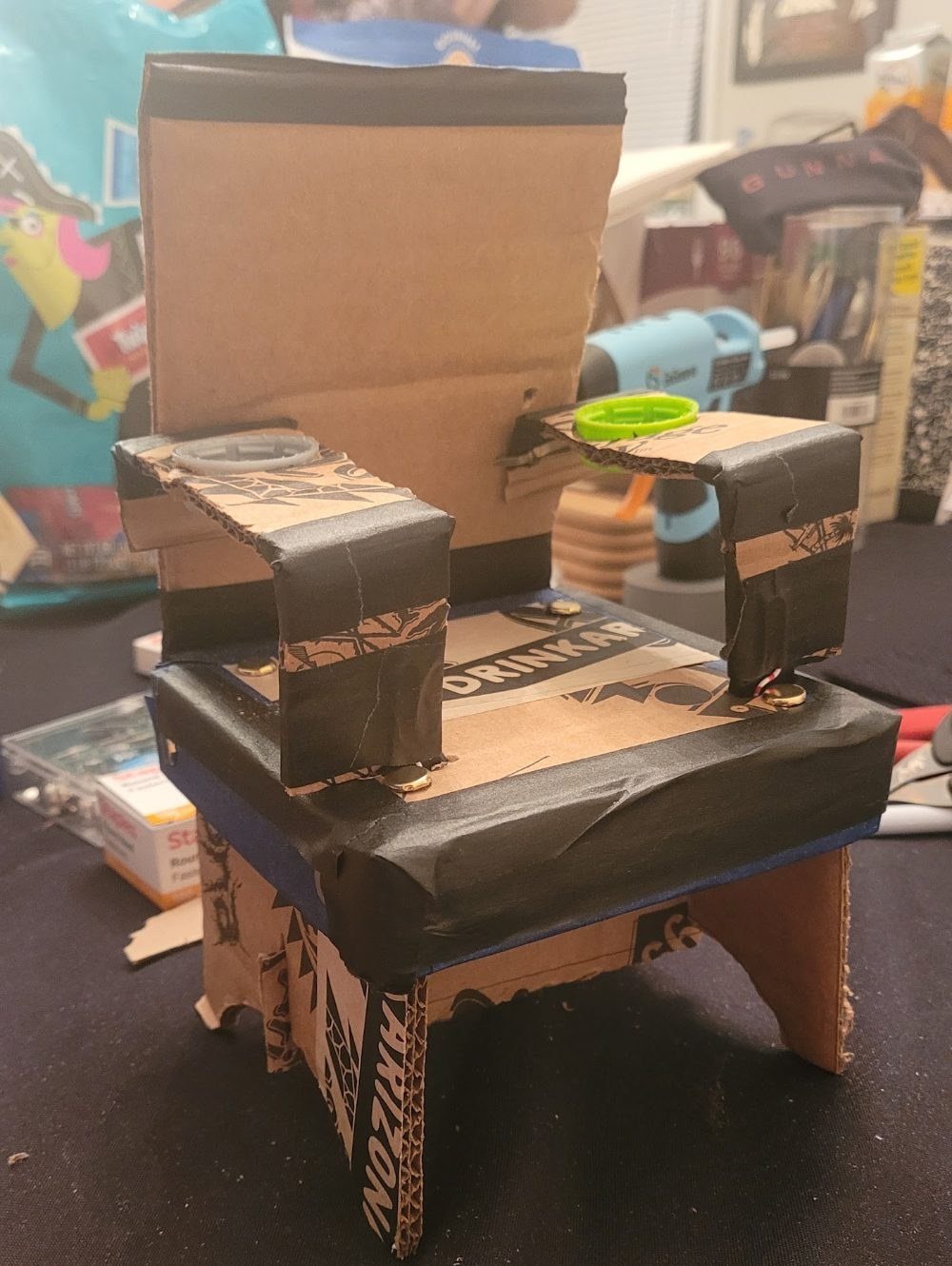
The final cardboard model of the chair, in three-quarter view
4. The final model, three-quarter view: taped armrests and seat, a back panel, and, instead of cup holders, plastic dog bowls for water and food.
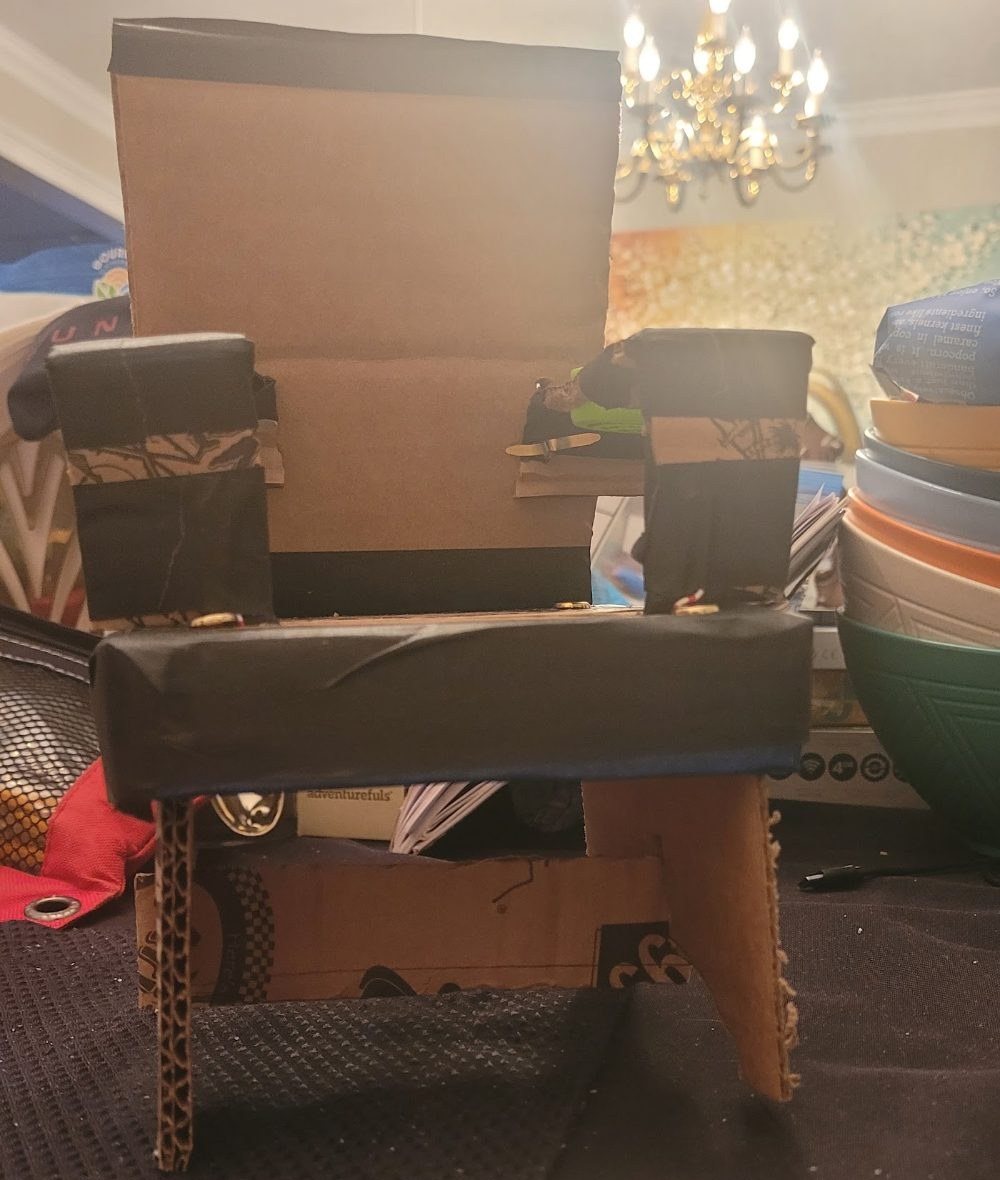
The final cardboard model of the chair, from the front
The final model as seen from the front.

The research came first: the chair’s origins, its spread, its environmental life cycle. Three rounds of prototypes followed, each a revision of the last, all before any software was opened.

Interfaces for People in Motion

Design Foundations I, Project 3 and Activity 08 · New York City College of Technology, CUNY · 2025 to 2026

Project 3 turns an analog interaction into a digital one, by way of a user flow, annotated wireframes and a Figma prototype. The strongest work starts from the student’s own life.

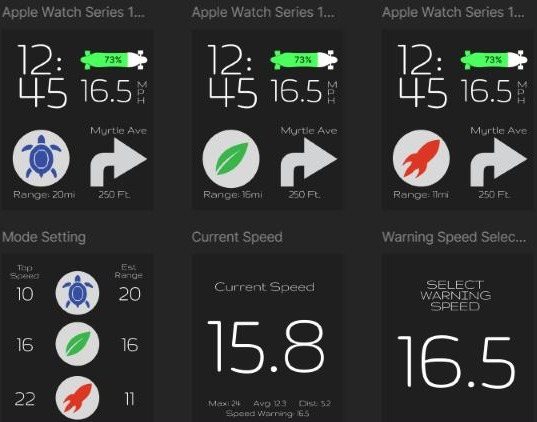
Smartwatch screens for an electric-skateboard app showing battery, speed, the next turn and three speed modes
An app for riding an electric skateboard, on a watch. One glanceable screen holds battery, speed and the next turn (“Myrtle Ave, 250 Ft.”); three modes, drawn as a turtle, a leaf and a rocket, trade top speed for range. Wayfinding, on a wrist. Spring 2025.
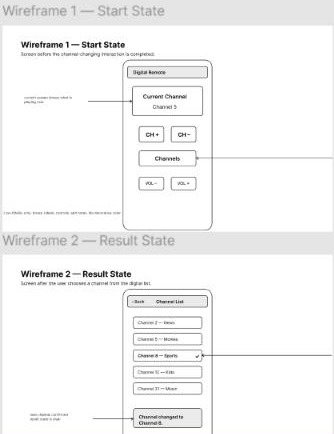
Annotated wireframes of a channel list, start state and result state
Analog to digital: a TV remote’s channel buttons redrawn as a digital channel list, with annotated start and result states. Spring 2026.
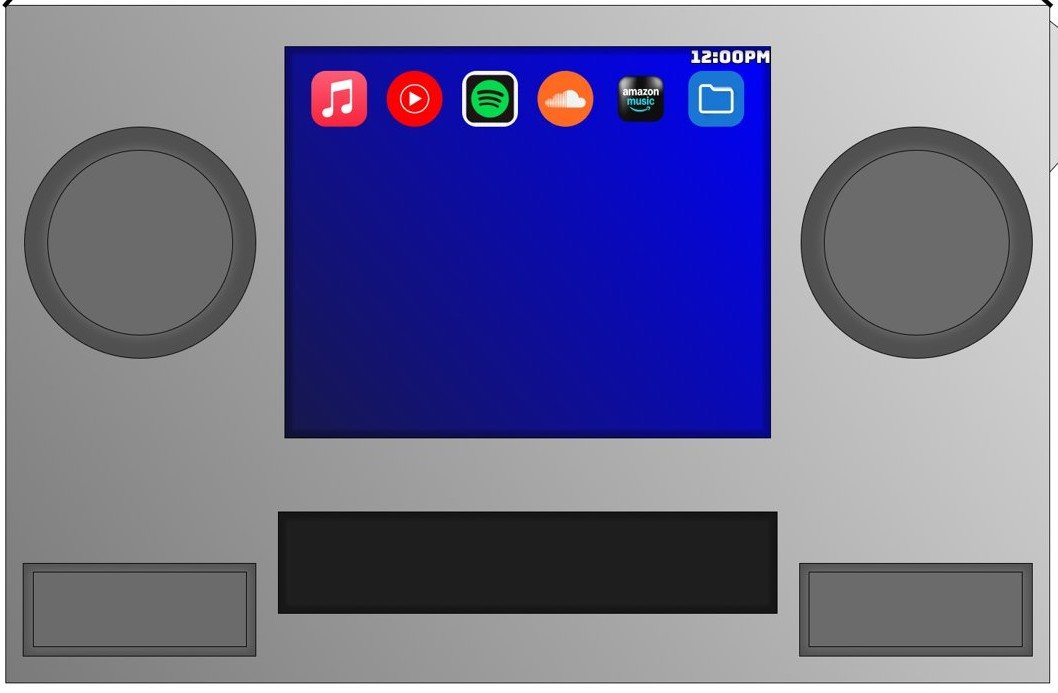
Prototype of a portable radio: a screen of music apps between two speakers
A portable radio, prototyped from its user flow and wireframe. “Overall I think I just reinvented the boombox.” Fall 2025.
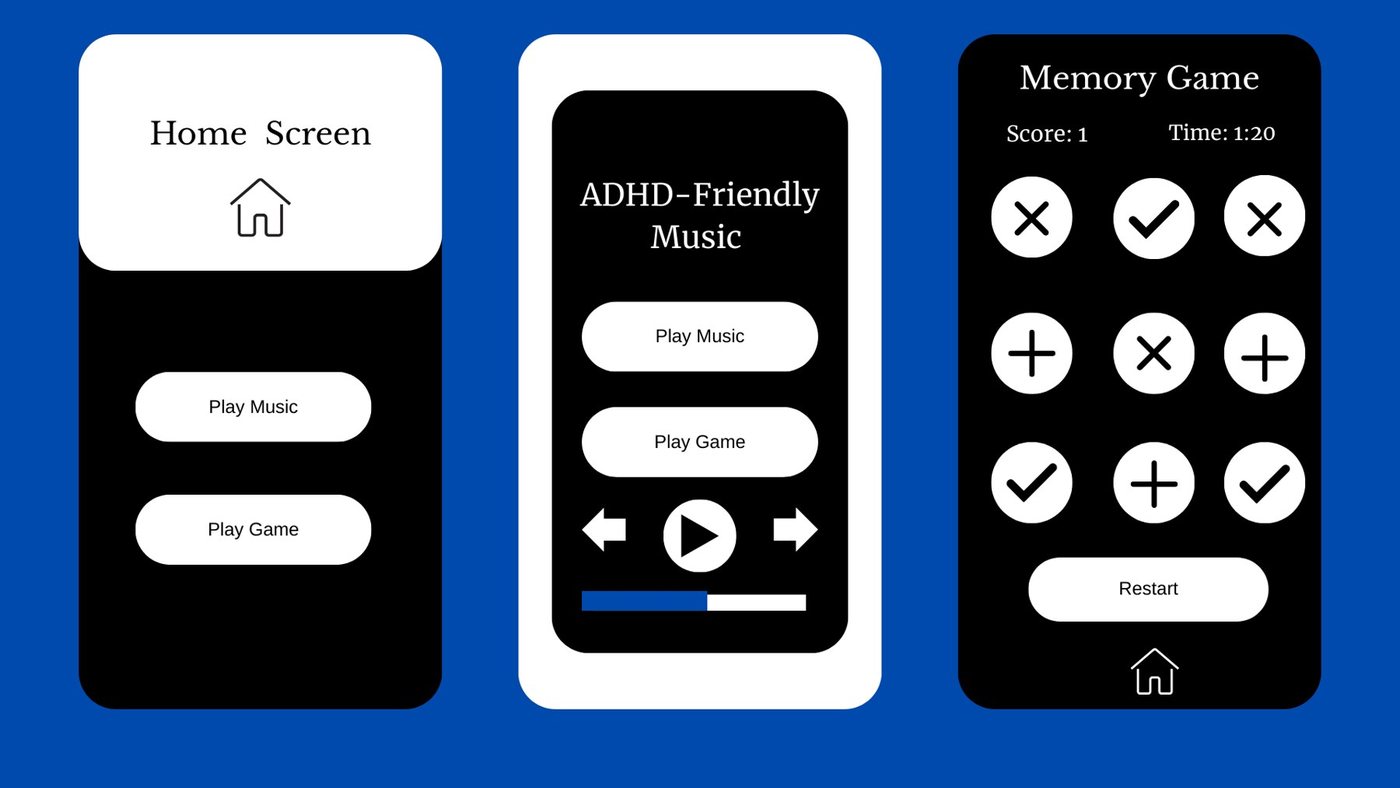
Three phone screens of an ADHD-friendly app with large buttons and little text
An ADHD-friendly app: large targets, little text, every path home. Spring 2025.

Diagrams, Signs and Sound

Design Foundations I · New York City College of Technology, CUNY · Spring 2025 to Fall 2026

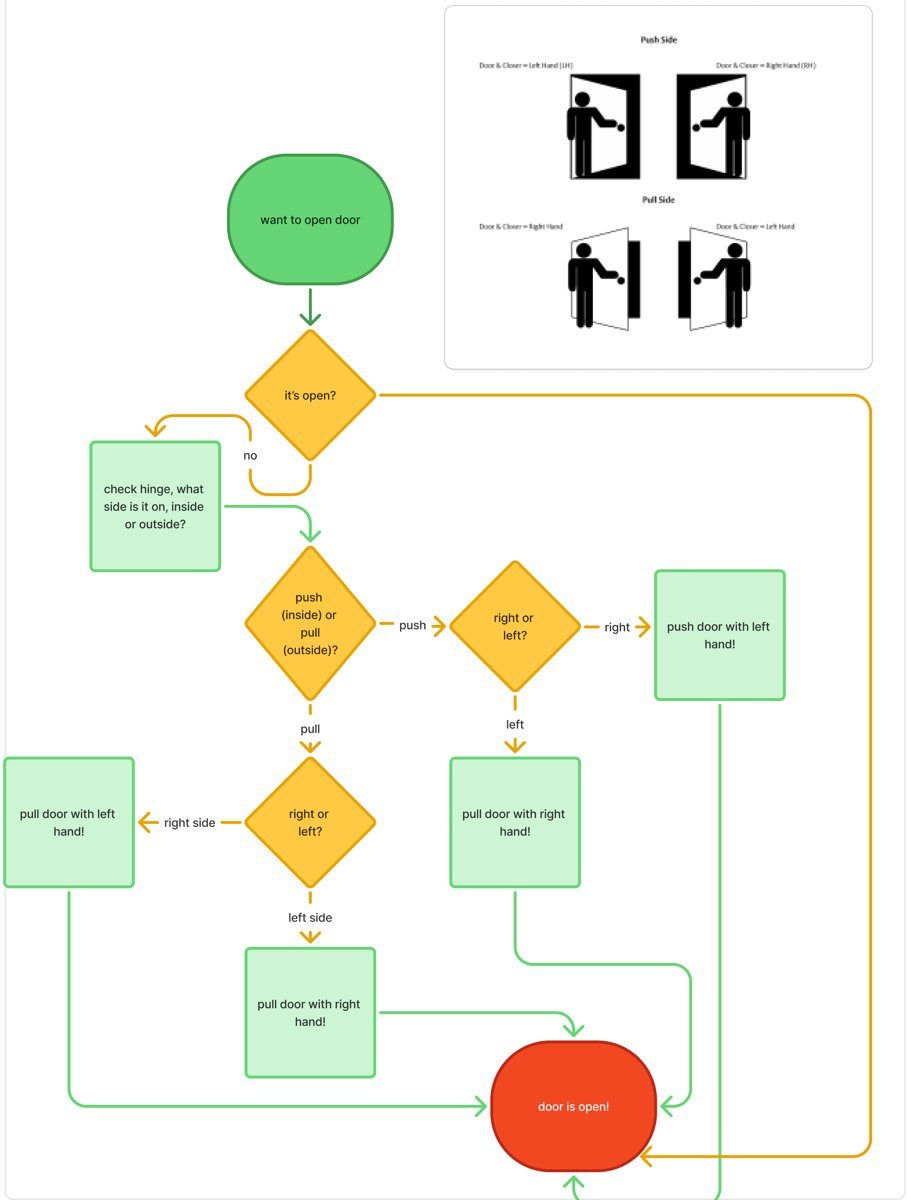
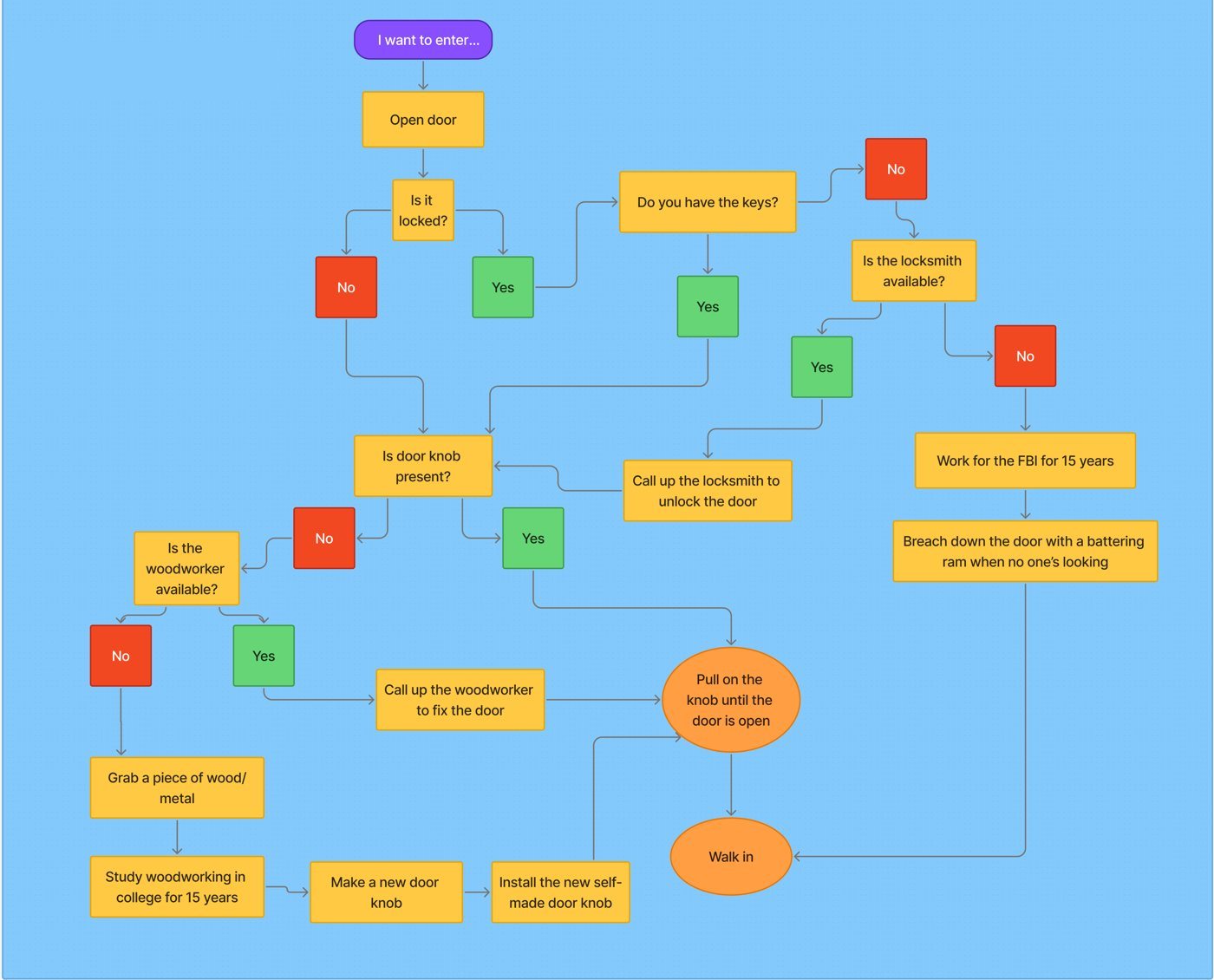
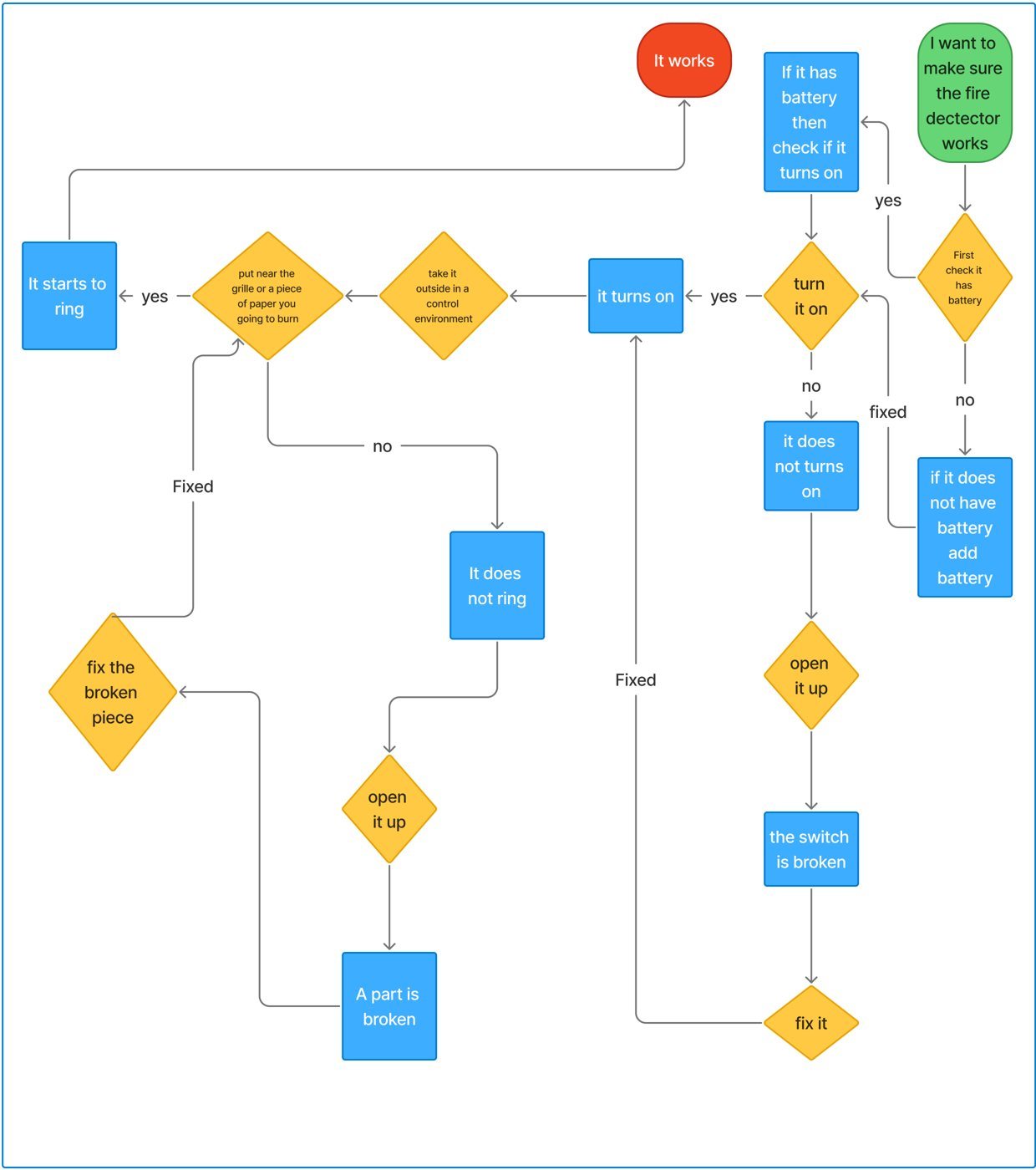
Flowcharting starts on a shared FigJam board. First, a list: the three to five steps it takes to open a door, with “no flowcharts yet.” Then, together, the list becomes a flowchart with at least one decision. Then each student charts a process of their own. Three results, from three boards:

Flowchart for opening a door, with push-or-pull and left-or-right decisions
Opening a door, with the push-or-pull and left-or-right decisions a sign usually settles. Fall 2026.
Colorful flowchart branching from “I want to enter” a locked door
“I want to enter…” A locked door, branching through the locksmith, the woodworker, and “Work for the FBI for 15 years.” Every branch resolves, with a sense of humor. Fall 2025.
Flowchart for testing a smoke detector, with repair loops
Testing a smoke detector: a student’s own process, with repair loops. Fall 2026.

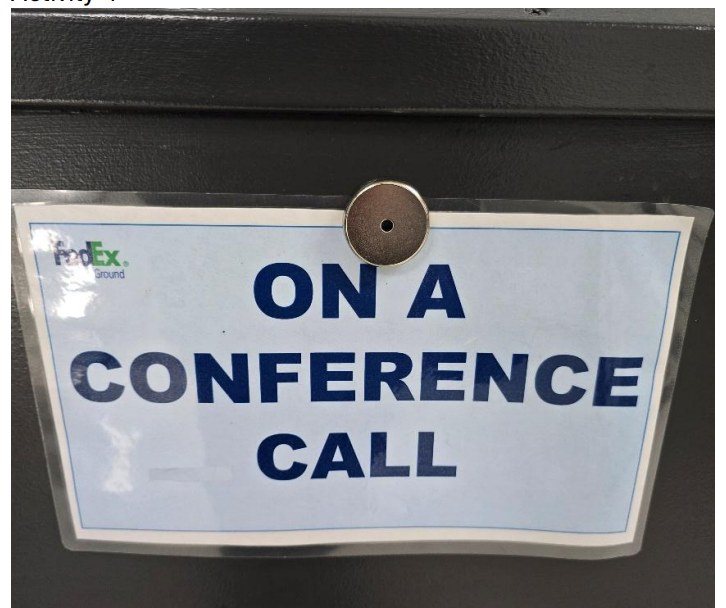
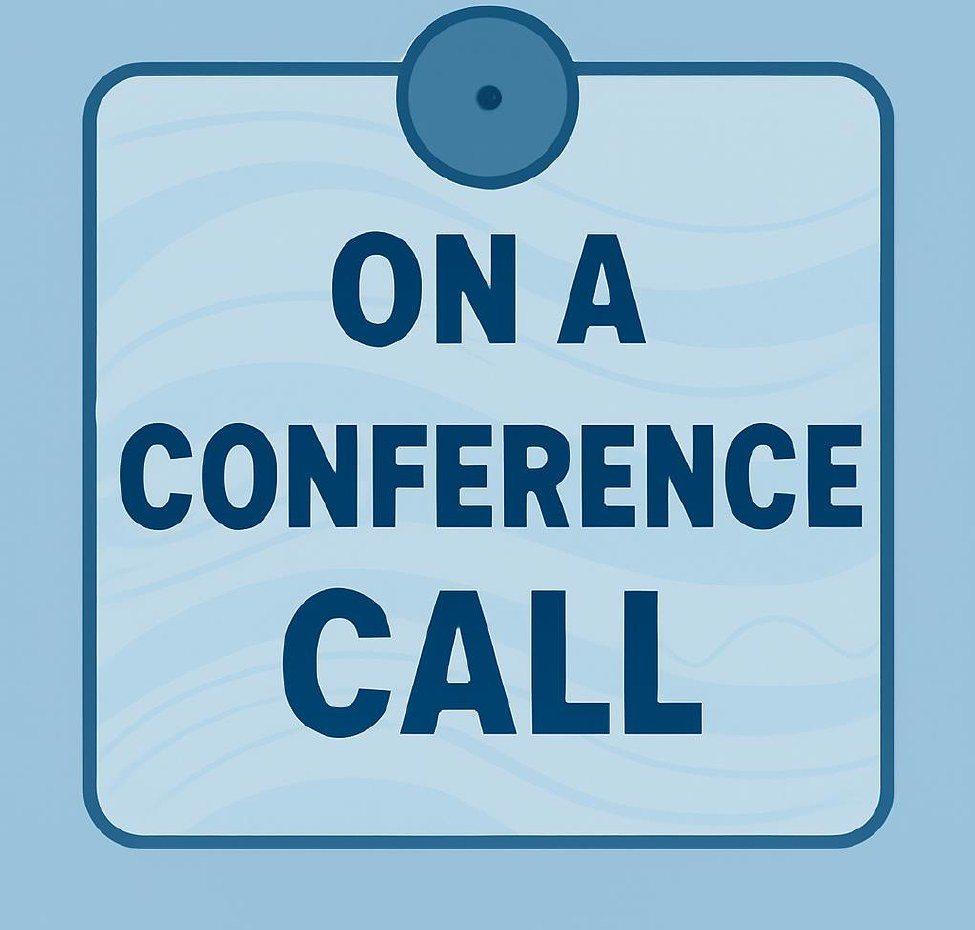
New sound, new image. Students take a picture, analyze its composition, compose a soundscape for it, then revise the image to answer the sound. One student photographed a printed sign held up by a magnet, and read its typography before touching it: “Hierarchy: ‘CONFERENCE’ is the largest and boldest word, making it the dominant focal point. Then ‘CALL’ and finally ‘ON A’ in a smaller, less bold font.” The revision kept that hierarchy, “adjusted spacing and alignment to establish stronger visual rhythm,” and moved to a cooler palette to match the calm of the audio. Spring 2025.

Photo of a printed sign reading On a Conference Call, held up by a magnet
The sign as found.
The student’s redesigned On a Conference Call sign in blue
The sign as revised.

Designing for the Machine: Sketching a Tube Television

Design Foundations I, Project 4 · New York City College of Technology, CUNY · Fall 2026 · in-class sketches

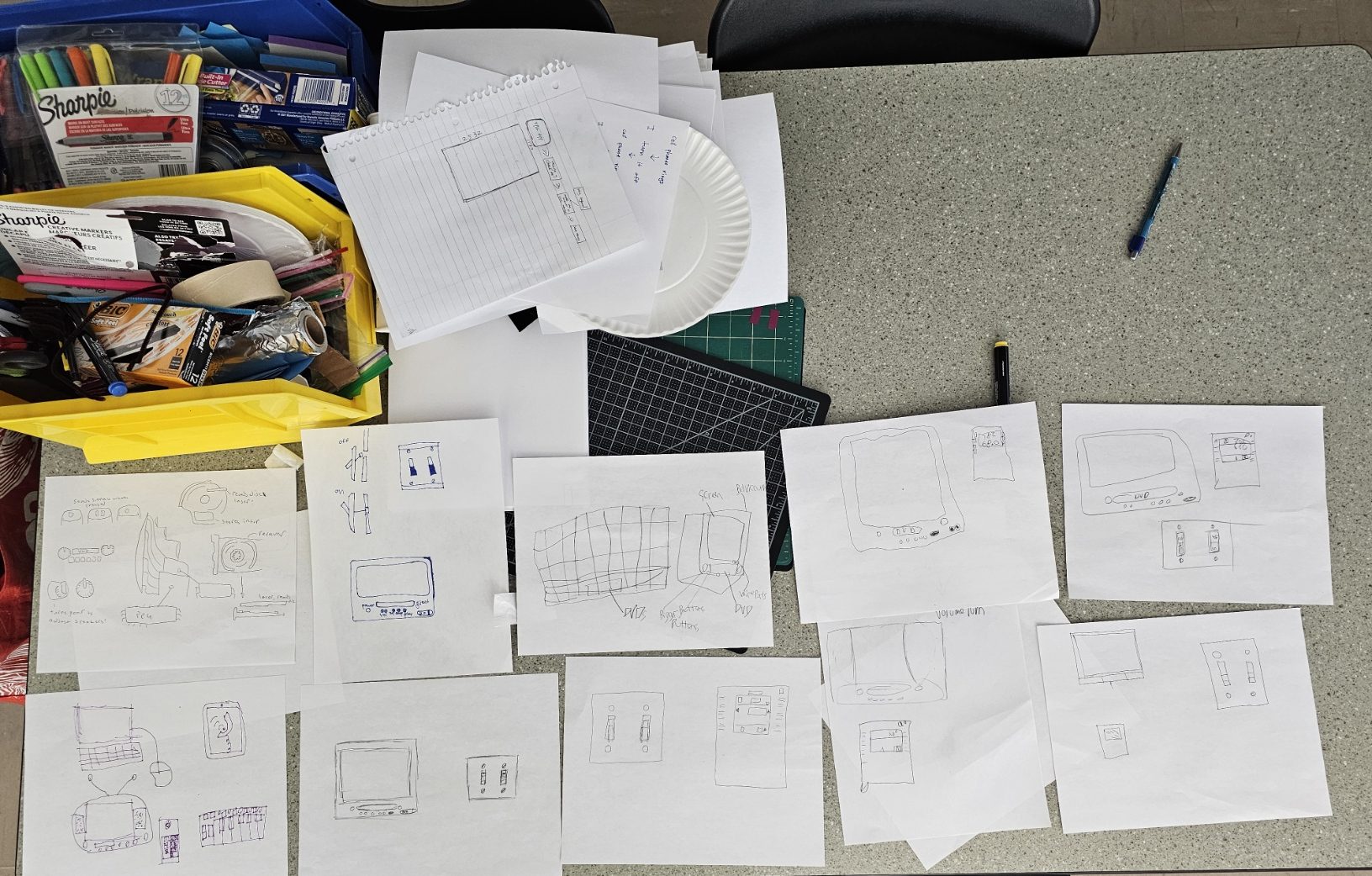
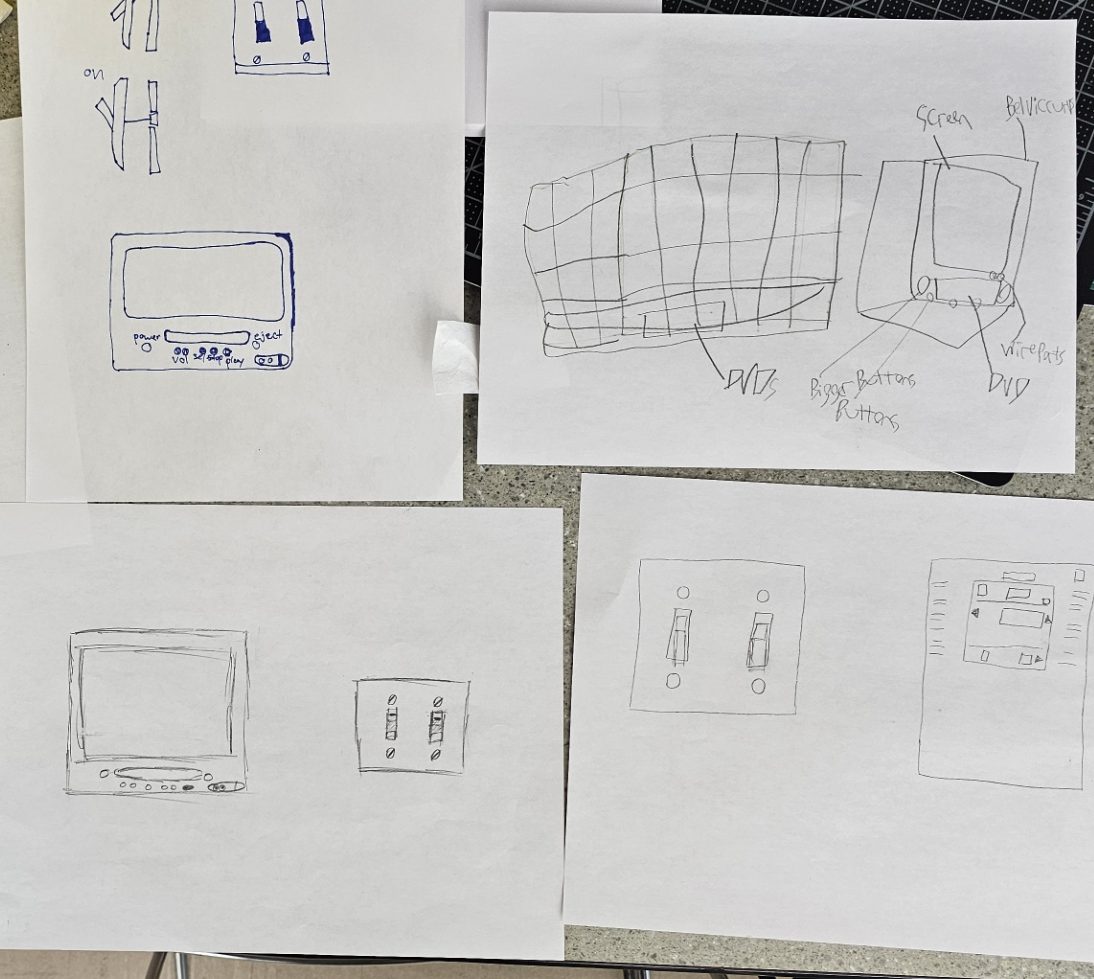
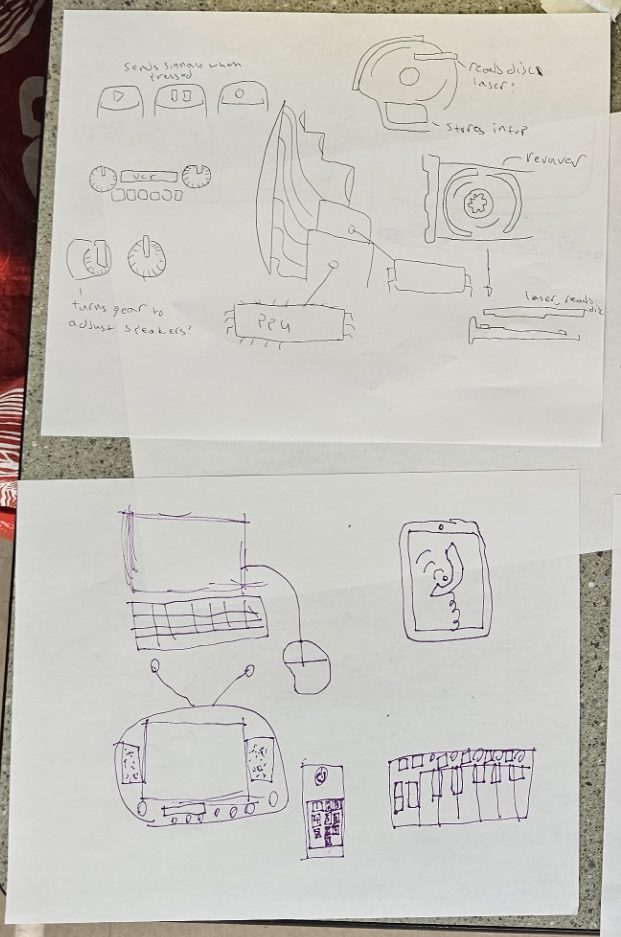
Project 4 is a class-wide installation on tube televisions, navigated by a joystick and two buttons. It asks students to think otherwise about interface design and about the expressive possibilities of devices. Before designing for the machine, students sketched the analog interfaces of a tube television with a built-in DVD player, and of a pair of wall switches.

A studio table covered with students’ pencil and pen sketches of a television set and wall switches
The class’s sketches, laid out together on a studio table. November 2026.
Sketches of a tube television with labeled parts, wall switches, and a front panel with power, volume, play and eject controls
One student labeled the parts: “Screen,” “DVD,” “Bigger Buttons.” Others drew the front panel’s power, volume, play and eject controls, and the on and off positions of a switch.
Sketch guessing at the inside of the set, with a disc, a laser, a circuit board and dials
Another guessed at the inside: a laser that “reads disc,” a part that “stores info,” a button that “sends signal when pressed,” and a dial that “turns gear to adjust speakers?”

↑ Back to top

Materials

Course materials are released under a Creative Commons BY-NC license.

Course site on OpenLab (Fall 2025) →

↑ Back to top